
DeepSeek Web: What the Browser Version Is, How to Open It, and What It Can Do
DeepSeek web is the browser chat interface to DeepSeek’s models, hosted at chat.deepseek.com and usable in any modern browser without installing anything. This site is an independent guide to DeepSeek web — it is not affiliated with, endorsed by, or operated by DeepSeek, and every action described below happens on DeepSeek’s own official pages, not here.
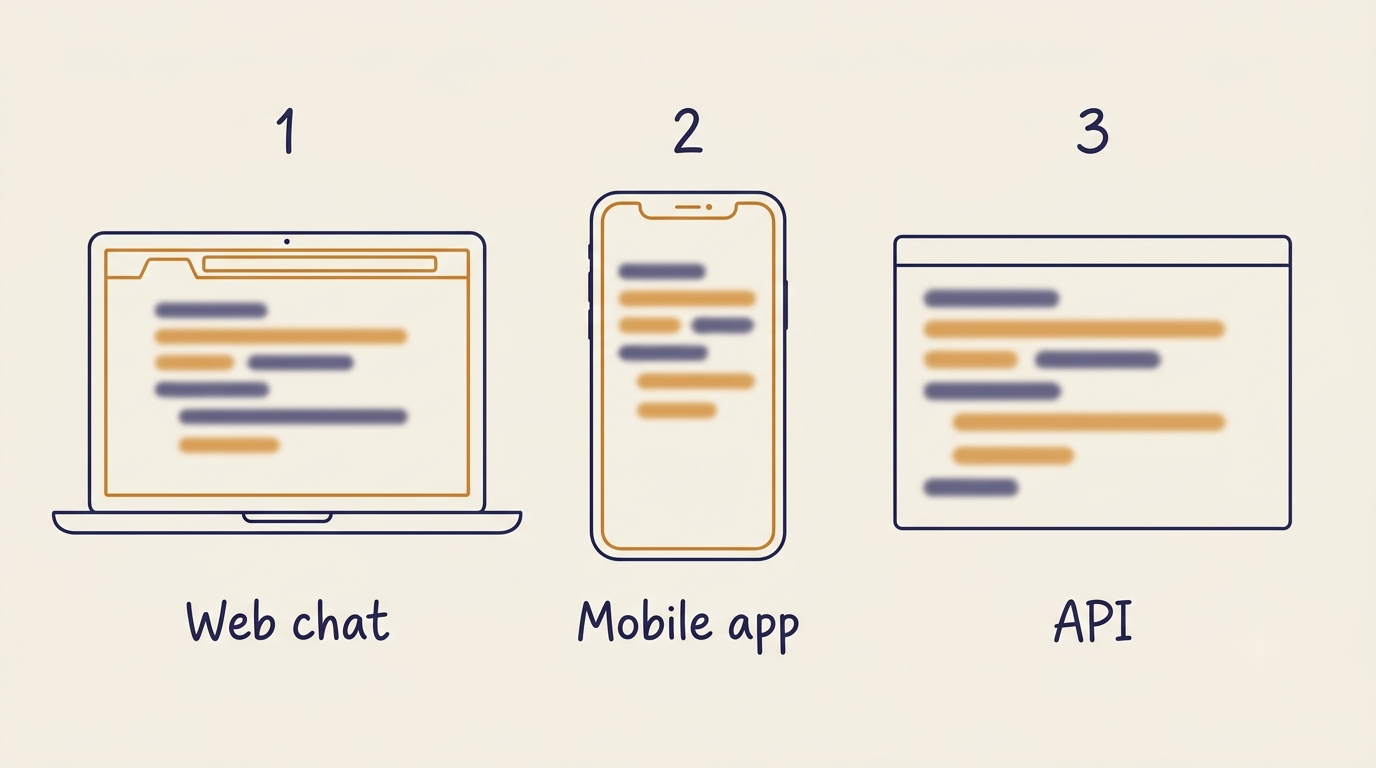
The web version shares an account and model access with the mobile apps, while the API is a separate, stateless, pay-per-token product built for developers. The sections that follow cover how to sign in, which modes and models are available, what the browser interface can and cannot do, free-tier limits, privacy and data residency, and how DeepSeek web stacks up against other assistants.
What DeepSeek Web Is
The product behind the interface
DeepSeek is a Chinese AI lab founded on July 17, 2023 by Liang Wenfeng, headquartered in Hangzhou and linked to the hedge fund High-Flyer; the company employs roughly 160 people, according to Wikipedia. The web chat is just one of three surfaces built on top of its models — browser, iOS/Android apps, and API. The lab’s early fame came fast: the DeepSeek chatbot app launched on January 10, 2025, and its viral moment followed ten days later when the R1 reasoning model shipped on January 20; by January 27 the app had become the most-downloaded free app in the US App Store, a moment that coincided with a sharp 17-18% drop in Nvidia’s share price.
Where it runs
The official address is chat.deepseek.com; there’s no separate desktop client to install, since the interface runs entirely in a standard browser tab. Any third-party site claiming to be a “DeepSeek web mirror” is not official — such sites are outside DeepSeek’s control, and there’s no way to know how they handle what you type into them, so stick to the official domain when opening the service. This guide, again, is an independent reference: it explains DeepSeek web, it does not host it.
How to Open DeepSeek in a Browser
Signing in
- Open chat.deepseek.com in a browser.
- Click Sign up (new users) or Log in (returning users).
- Register with an email address or a Google account — phone-number registration is offered for mainland China numbers.
- Confirm the account through the verification step DeepSeek sends.
- Land in the chat interface, ready to start a conversation.
One account covers both the web app and the mobile apps, and conversation history syncs between them. Worth noting historically: after a cyberattack in late January 2025, DeepSeek temporarily limited new user registrations while it stabilized its systems.
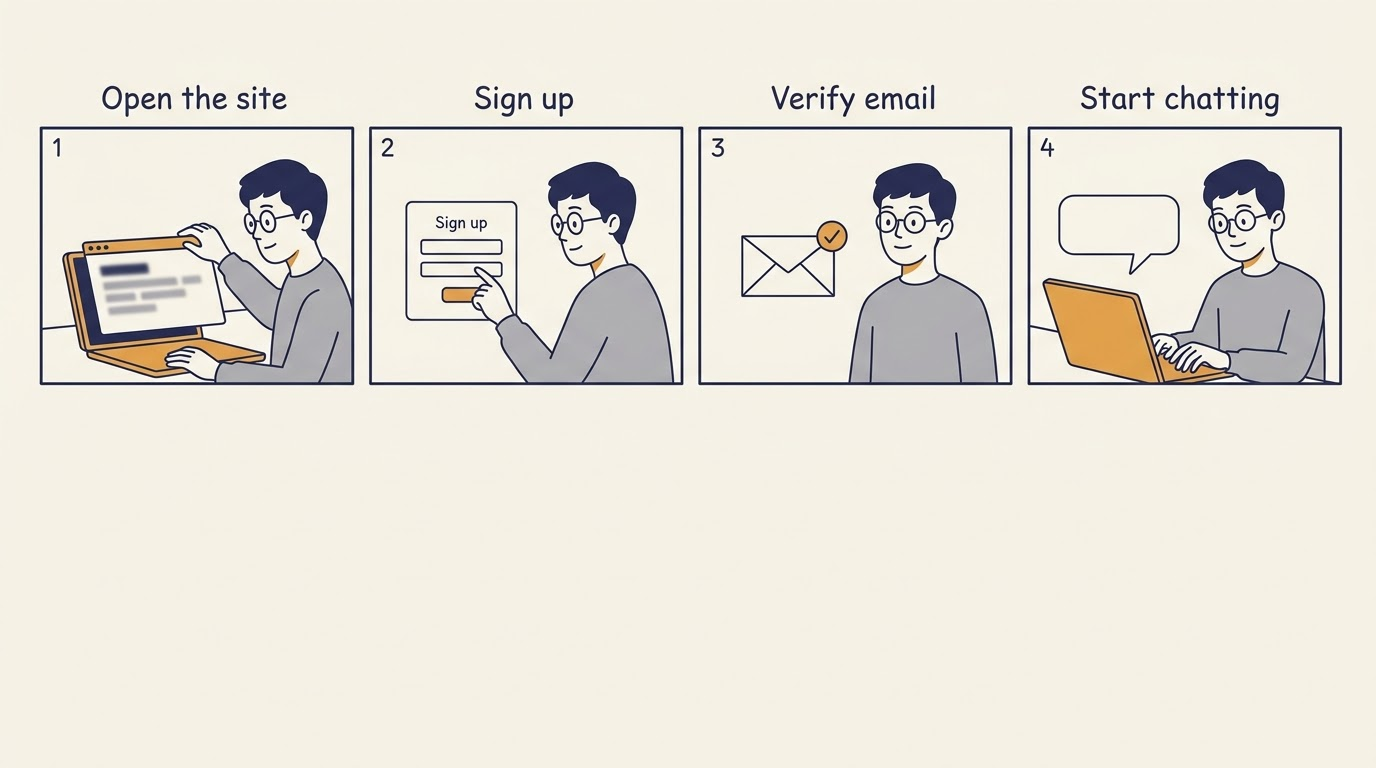
Nothing about this sequence is platform-specific: the same four steps work identically on Windows, macOS, Linux, and a tablet browser, because there is no client to download in the first place.
What the interface gives you
The interface is built around a few core elements:
- A conversation list on the left, holding past chats.
- A message input field, where prompts and pasted text go.
- A mode switcher, toggling between Instant Mode and Expert Mode.
- A file-attachment control, for uploading documents to reference in the chat.
Chat history for signed-in users is stored on DeepSeek’s servers, which is a meaningful difference from the stateless API, where nothing is retained between calls by default.
Models and Modes in the Web Version
| Mode | Underlying model | Parameters (total / active) | Best for |
|---|---|---|---|
| Instant Mode | deepseek-v4-flash | 284B / 13B | quick answers, everyday chat |
| Expert Mode | deepseek-v4-pro | 1.6T / 49B | complex reasoning, code, long analysis |
Instant Mode vs Expert Mode
Instant Mode runs on deepseek-v4-flash, a 284-billion-parameter model that activates about 13 billion parameters per token for fast replies. Expert Mode switches to deepseek-v4-pro, a 1.6-trillion-parameter model activating roughly 49 billion parameters per token, aimed at harder reasoning, coding, and longer analytical work. Both are listed with a 1,000,000-token context window and output of up to 384,000 tokens. Earlier versions of the product exposed reasoning through a separate DeepThink toggle in the R1 era; that has since been folded into the mode switch itself.
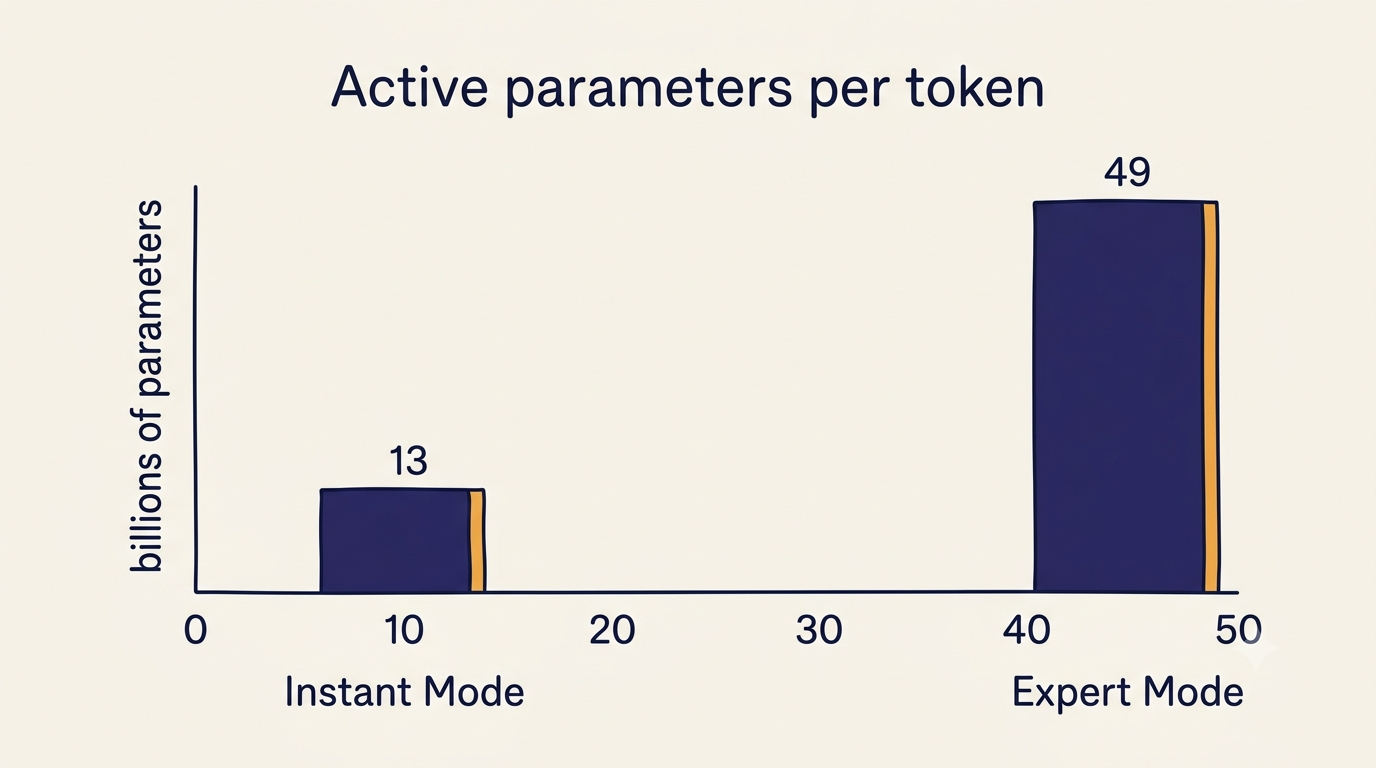
The switch is not a quality setting so much as a budget setting: Instant Mode is the sensible default for everyday questions, and Expert Mode earns its slower response on problems that genuinely need step-by-step reasoning.
Why MoE matters to the user
Mixture-of-Experts is the reason these models can be enormous on paper yet still respond quickly in practice: for every token, only a small slice of the total parameters actually activates. The same architecture line is released with open weights under the MIT License, so the underlying models can be downloaded and run independently — through tools like Ollama, or as distilled R1 variants on consumer hardware. DeepSeek web itself, though, is DeepSeek’s own hosted deployment, not a local install.
What You Can Actually Do in the Browser
Typical jobs
Common uses reported for the web interface include:
- Working through long documents.
- Reviewing and debugging code.
- Stepping through math and logical reasoning.
- Drafting and translating text.
- Parsing tables or logs pasted into the chat.
Any benchmark numbers should be read with their source attached. DeepSeek’s own release notes at api-docs.deepseek.com self-report a SWE-bench Verified score of 80.6% for V4-Pro running in its maximum-reasoning configuration as of April 2026; independent evaluations exist separately and sometimes diverge from vendor numbers. Neither should be repeated as an unqualified claim of superiority.
Uploading a document and asking DeepSeek to summarize it, extract specific figures, or compare it against a second file is one of the more concrete uses of the long context window — the 1M-token limit means very large files can be handled in a single conversation rather than chunked manually.
Pasting a code snippet or an entire small repository file and asking for a review, a bug fix, or a rewrite puts Expert Mode’s reasoning to use, since code tasks benefit from the larger active-parameter model rather than the fast Instant Mode.
Working through a multi-step math or logic problem interactively, asking the model to show intermediate steps rather than just a final answer, is closer to how Expert Mode is designed to be used than a single one-shot prompt.
What it does not do
As of the sources behind this guide, the web version does not generate images. Whether web search is available inside a conversation depends on the toggle state and, in some cases, the user’s region. It’s also worth knowing that DeepSeek’s own documentation notes the model version served on web and app can differ from the version served through the API, so the same prompt is not guaranteed to produce identical output across surfaces.
Free Access, Limits, and Server Busy
Is it free
The web chat and mobile apps are free to use with a registered account, and there is no paid subscription tier for the chat itself, according to DeepSeek’s own site — the only place DeepSeek charges money is the API, billed per token. On limits: as of this guide’s sources, DeepSeek has not published a fixed daily message cap for the web interface; throttling instead appears to be dynamic and tied to overall server load.
Rate limits are dynamic to maximize service stability for all users. We do not guarantee fixed rate limits and may adjust them at any time.
DeepSeek API Documentation
A number that circulates on some third-party sites — a limit around 500 messages per hour — is not something DeepSeek documents publicly, so it should be treated as an unverified claim rather than a stated policy.
When it slows down
A “Server Busy” message is the typical symptom during high-traffic periods, and usually resolves by retrying shortly after or switching to Instant Mode for a lighter request. Different secondary sources describe different peak-hour windows for this slowdown; because those windows are not officially published and vary by report, this guide does not repeat a specific schedule as fact.
Web vs Mobile App vs API
| Surface | Pricing | History | Customization | Best for |
|---|---|---|---|---|
| Web (chat.deepseek.com) | Free | Saved to account | Mode switch only | one-off tasks, general chat |
| Mobile app (iOS/Android) | Free | Synced with web | Mode switch only | the same, on a phone |
| API (api.deepseek.com) | Pay per token | Stateless by default | Full parameter control | embedding DeepSeek into a product |
Decision table
The table above is the short version: web and app are for a person having a conversation, and share the same account-level history. The API is for a developer wiring DeepSeek’s models into another product, with no shared conversation state unless the application manages it, and cost measured per token rather than a flat free tier.
For developers, briefly
Since this guide is about the browser experience rather than the API itself, only the essentials are worth flagging: DeepSeek exposes both an OpenAI-compatible endpoint and an Anthropic-compatible endpoint at api.deepseek.com, documented at DeepSeek API docs, with API keys issued through platform.deepseek.com. Legacy model IDs deepseek-chat and deepseek-reasoner were retired on July 24, 2026 according to DeepSeek’s deprecation notice in those same docs, so any integration still referencing them should be checked against the current version. Token pricing has changed more than once, including peak/off-peak variation, so any price quoted anywhere is only accurate as of the date it was published.
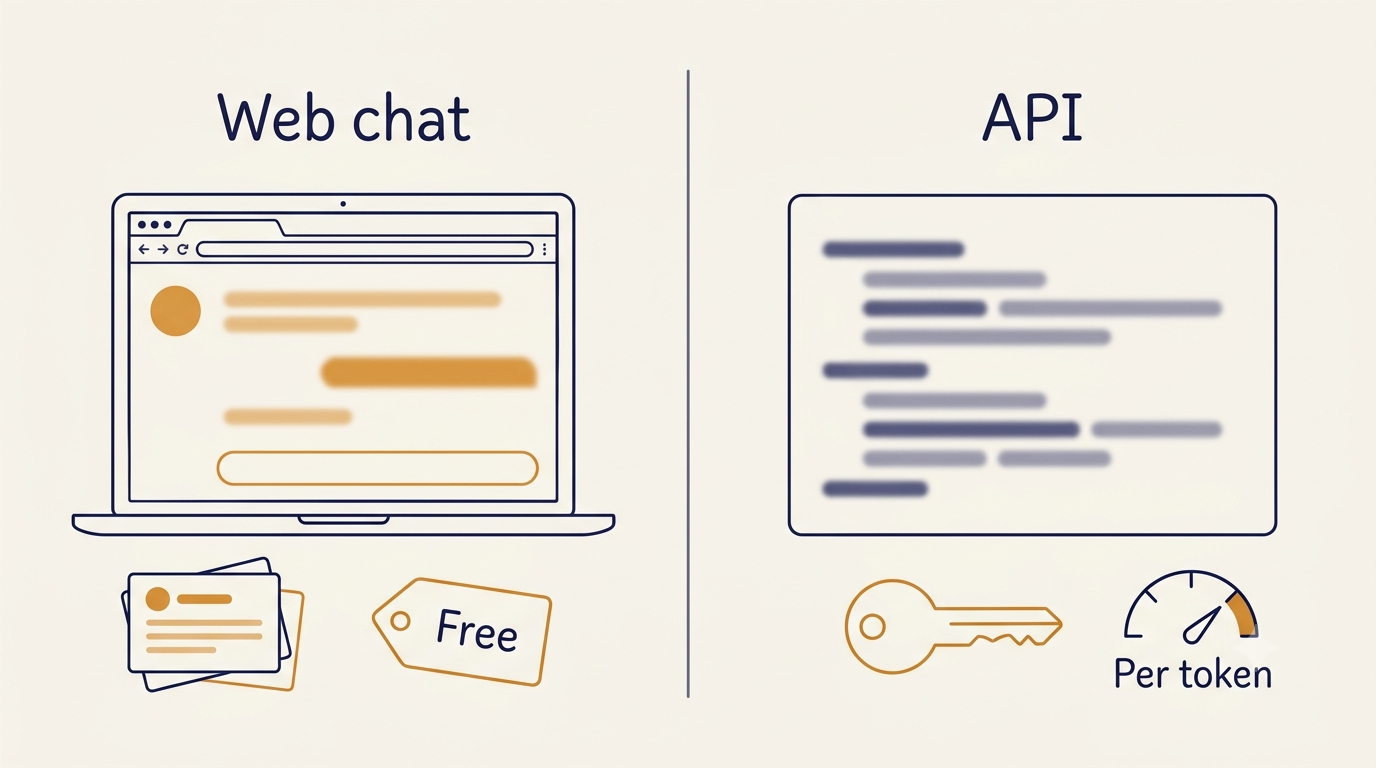
For most readers the practical takeaway is simple: if you are answering a question rather than building software, the browser version is the whole product, and nothing on the API side needs to be set up at all.
Privacy, Data, and Where DeepSeek Web Is Available
What to avoid pasting
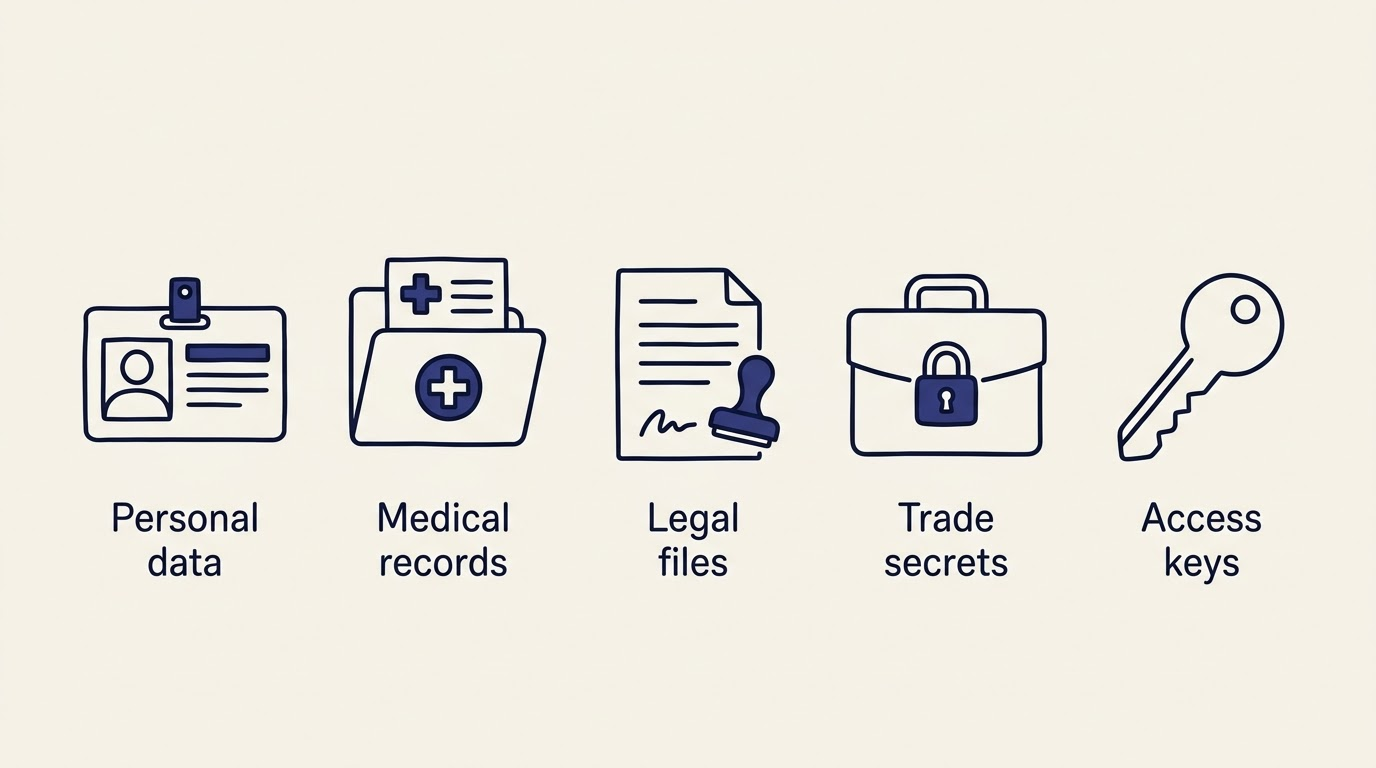
A practical rule for any hosted chatbot applies here too — avoid pasting into the conversation:
- Customer personal data.
- Medical or legal case material.
- Trade secrets or internal business plans.
- Access keys or credentials.
DeepSeek’s web and app data is stored in mainland China, and there is no EU or US data-residency option for the hosted service. If residency requirements rule that out, the alternative is a private deployment of the open-weight models rather than the hosted web version.
Independent security researchers have also flagged concrete incidents worth knowing about: on January 29, 2025, Wiz Research reported finding a publicly exposed DeepSeek database containing chat logs and API-related secrets, which was secured in under an hour after disclosure — an incident also documented on Wikipedia.
Country availability
Documented restrictions, stated neutrally and with dates: Italy’s data protection authority blocked the service on January 30, 2025; several governments — including the United States, Australia, Canada, South Korea, and the Czech Republic — have restricted or banned DeepSeek on government-issued devices; and a number of companies apply their own internal bans. Regulatory status keeps shifting, so anyone relying on availability in a specific country or organization should check the current status rather than this list alone.
How DeepSeek Web Compares to Other Assistants
Where it wins and where it does not
DeepSeek’s strengths, based on the sources behind this guide:
- A free web tier with no subscription requirement.
- A very large context window (up to 1M tokens).
- Open-weight models released under the MIT License.
- API pricing well below flagship competitors.
Its weaknesses: the jurisdiction and location of data storage, topic-level content restrictions on politically sensitive questions, occasional instability during peak hours, and a narrower set of multimodal features than some rivals. Independent benchmark results place V4-Pro ahead of some competing flagships and behind others depending on the task category — there isn’t a single ranking that holds across every benchmark, and this guide doesn’t pick a winner.
DeepSeek competes most directly with general-purpose assistants like ChatGPT, Gemini, and Claude, each of which differs from it on pricing model, context window, and whether weights are open at all.